
Electronegativity Calculator

Related Calculators
Electronegativity Difference (END) Calculator
Table of Contents
Tap a section to jump instantly
Pro tip: If you’re tracking hydration, keep your daily water goal consistent even on rest days.
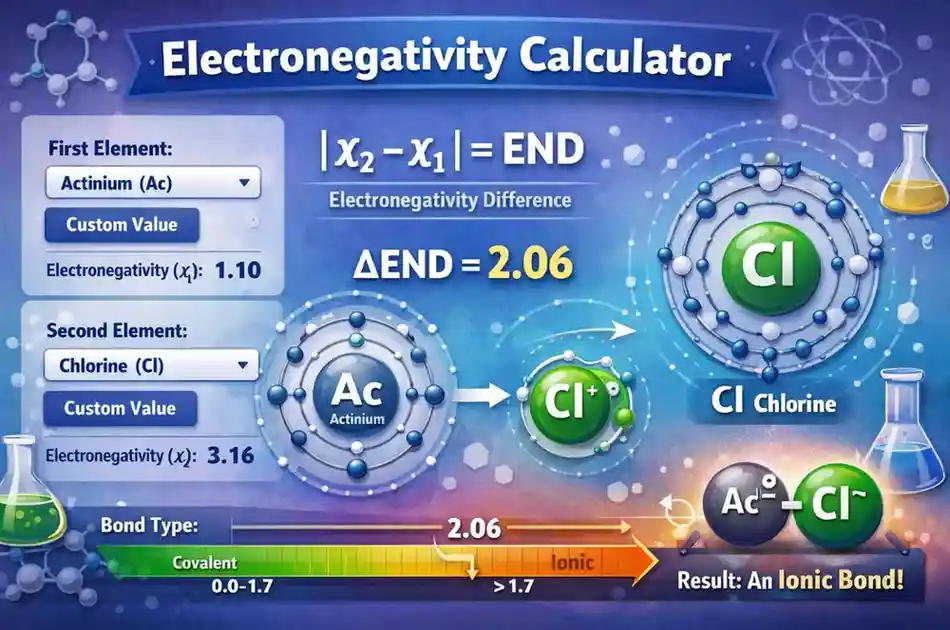
When two atoms form a bond, they don’t always “share electrons equally.” One atom often pulls harder, and that imbalance is exactly what electronegativity difference is about.
This page explains how to read END values in a practical way—so your result feels like chemistry you can use, not just a number on the screen.
What electronegativity means in real bonds
Think of electronegativity as an atom’s “pull” on bonding electrons. If two bonded atoms pull equally, electrons sit in the middle. If one atom pulls much harder, electrons spend more time closer to it.
A trusted reference for basic electronegativity concepts is Britannica’s electronegativity overview.
Why electronegativity difference matters
The reason END is useful is that it gives you a quick way to predict how “polar” a bond might be. More polarity often changes real properties: solubility in water, electrical behavior, and melting/boiling trends.
END does not claim to predict everything. It’s a fast comparison tool for electron distribution—not a full chemical reaction simulator.
Real-life use cases
People use END comparisons for quick decision-making in chemistry learning, exam problem solving, and early-stage material reasoning.
- Predict if a bond is more likely to behave like a salt (more ionic) or a molecule (more covalent)
- Estimate which side of a bond will carry partial negative charge (the more electronegative atom)
- Compare “similar-looking” formulas and understand why properties differ
- Support Lewis structure and polarity reasoning with numbers
Inputs you can use in this calculator
This electronegativity calculator gives you two ways to provide values: selecting elements from the dropdown list or entering custom values.
1) Element dropdown selection
Select the first and second elements by symbol (like Na, Cl, H, O). The calculator uses stored electronegativity values for each element.
2) Custom electronegativity values
Custom mode is helpful if you’re using a specific dataset in school or comparing values from a lab reference sheet. Just ensure the values are non-negative numbers.
How this calculator works
Internally, the calculator picks two electronegativity values (χ1 and χ2), then calculates the absolute difference between them. That difference is shown as END.
After END is calculated, it classifies the bond using a common rule: if END is greater than 1.7 the bond is labeled ionic, otherwise covalent.
Bond classification logic used here
- If END > 1.7 → ionic bond
- If END ≤ 1.7 → covalent bond
Formula
The calculation is simple, but powerful: it uses the absolute difference so the order of elements doesn’t matter.
Electronegativity Difference (END) = | χ1 − χ2 |
Worked example (Na and Cl)
Let’s take a classic chemistry pair: sodium (Na) and chlorine (Cl). This example is realistic because NaCl is a common compound with strong ionic behavior in water.
| Element | Symbol | Electronegativity (χ) |
|---|---|---|
| Sodium | Na | 0.93 |
| Chlorine | Cl | 3.16 |
Now apply the END formula. The difference tells us how “unequal” the pull is.
END = | 0.93 − 3.16 |
END = 2.23
Since 2.23 is greater than 1.7, this calculator categorizes the bond as ionic. That matches the real-life expectation: Na tends to give up an electron, and Cl strongly attracts it.
How to interpret the result
Your END value is best read as a “polarity indicator.” Bigger numbers mean more uneven electron attraction, which often leads to more ionic character.
What “ionic” means here
An ionic result suggests electrons are strongly pulled toward one element. In many textbook examples, this lines up with metals bonding to non-metals and forming salts that dissolve into ions.
For deeper chemistry background on ions and bonding basics, you can reference NCBI’s overview of chemical bonding.
What “covalent” means here
A covalent result suggests the atoms are closer in electronegativity and can share electrons more evenly. This is common in bonds between non-metals and within organic molecules.
Remember: covalent doesn’t always mean “equal.” Many covalent bonds are still polar, especially when END is not near zero.
Table examples (END and bond type)
Below are a few comparisons to help you build intuition. Use them as a quick reference when your END result feels abstract.
| Pair | χ1 | χ2 | END | Bond type (by this calculator) |
|---|---|---|---|---|
| H–Cl | 2.20 | 3.16 | 0.96 | Covalent |
| C–O | 2.55 | 3.44 | 0.89 | Covalent |
| Na–Cl | 0.93 | 3.16 | 2.23 | Ionic |
| Mg–O | 1.31 | 3.44 | 2.13 | Ionic |
Notice something important: both H–Cl and C–O are “covalent” by this rule, but they’re still meaningfully polar. END gives direction and confidence, not a full story.
Common mistakes people make
- Treating END like a “bond strength score” (it isn’t)
- Assuming covalent automatically means non-polar (many covalent bonds are polar)
- Using END to predict the entire molecule’s polarity without checking shape
- Mixing up element order (END uses absolute value, so order doesn’t matter here)
- Forgetting that some electronegativity values vary slightly by reference table
Assumptions and limitations
This calculator uses a clean and common approach: compute END and classify it using a 1.7 cutoff. That makes it reliable for quick learning and comparisons.
Still, real bonding behavior can be more complex. Many materials have mixed bonding, and context matters (crystal structure, oxidation states, resonance, and environment).
If an element has no listed electronegativity, the calculator treats it as 0 so the math can still run. That can produce a result, but it may not represent a real, meaningful bond prediction for that specific element pair.
Last updated
Last updated on: 2026-01-25